
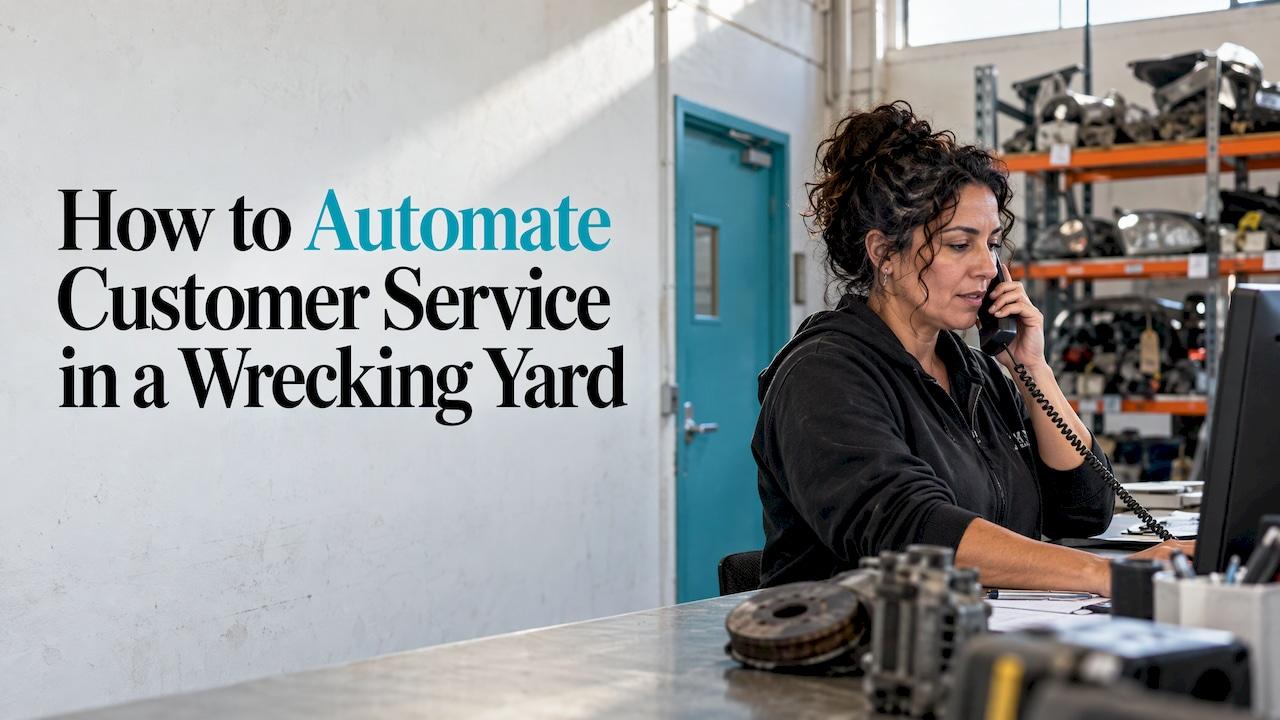
The fastest way to automate customer service in a wrecking yard is to stop treating it as a separate job. Most of your customer contact is the same few questions: is the part in stock, what does it cost, does it fit, can you post it. If your inventory, your sales channels and your phone, SMS and email sit in one system, those answers can be given automatically from the same record that runs the yard. That is how we built GearSwap: voice AI answering and a unified inbox for calls, SMS and email, sitting next to inventory, listings, quotes and invoices on one dashboard.
This guide is for yard owners and operators. It shows what to automate first, where to keep a person in the loop, and how to tell whether it is working.
TL;DR
- Automate the repeat enquiries first: stock checks, pricing, fitment, opening hours, order status. Leave complaints and disputes to a person.
- Automation only works when the answer exists in your data. Clean, current inventory comes before any chatbot or call answering.
- One inbox for calls, SMS, email and marketplace messages stops enquiries being lost between channels.
- Always make a human easy to reach, and hand over the full conversation when you do.
- Measure before and after: missed calls, time to first reply, and hours spent on manual data entry.
Table of Contents
- What customer service automation means for a wrecker
- Why wreckers get this wrong
- Step 1: Map what your customers actually ask
- Step 2: Fix the data the answers come from
- Step 3: Automate the first contact, not the whole relationship
- Step 4: Keep a person in the loop
- Step 5: Measure what you get back
- What it looks like in practice
- Where GearSwap fits
- A sensible rollout order
- FAQ
- Sources
What customer service automation means for a wrecker
Customer service automation is software that handles a customer's question, or part of the work behind it, without someone typing every reply. It ranges from an auto-reply confirming an email arrived, to a phone assistant that answers and takes details, to a system that looks up a part and quotes it.
In a wrecking yard the tasks that suit automation tend to be:
- Answering the phone when nobody can. Your counter staff are often under a bonnet, on a forklift or serving someone in person.
- Stock and price enquiries. "Have you got a left headlight for a 2014 Hilux?" is a lookup, not a conversation.
- Following up quotes and leads. Chasing a quote is repetitive and easy to forget.
- Order and delivery updates. Customers ask where their part is because nobody told them.
- Paperwork. Quotes, invoices and receipts that otherwise get rekeyed.
What does not suit automation: a customer disputing a charge, a part that arrived damaged, an insurer or repairer with a complicated job, or anyone who asks for a person. Those stay with your team. The point of automating the rest is to give them time to do those well.
Why wreckers get this wrong
Most general guides on this topic assume a help desk, a ticketing tool and a support team. A yard has none of that. You have a handful of people, a phone that rings constantly, listings on several sites and messages arriving by SMS, email, Facebook and eBay. The problem is rarely a lack of a chatbot. It is that the answer lives in four places: a spreadsheet, a whiteboard, the listing site and someone's memory.
That is why a bolt-on chatbot usually disappoints a yard. It can only be as accurate as the data behind it. A system that already holds your parts, prices and sales history can answer from the same source your counter uses.
Step 1: Map what your customers actually ask
Australia's National AI Centre advises businesses to start with one high-volume, contained process that is a real pain point, and to document each step: the action, who does it, the system used, the inputs and outputs, and how long it takes. It also suggests looking for bottlenecks, rework, waiting, manual data entry and inconsistency.
For a yard, do this for one week:
- Keep a tally sheet by the phone. Mark every enquiry by type: stock check, price, fitment, delivery, order status, complaint, other.
- Note which channel it arrived on: phone, SMS, email, Facebook, eBay, Gumtree, in person.
- Note how long it took and whether the answer needed anyone beyond the person who picked up.
- Count the missed calls and the messages that waited more than a day.
At the end of the week you will have a ranked list. Typically the top two or three categories account for most of the volume. Those are your first targets, and they are the ones where the answer is already in your inventory record.
Where it goes wrong: automating the interesting problem instead of the frequent one. A tailored reply for a rare, complicated enquiry saves nothing. A reliable answer to "is it in stock?" saves hours.
Step 2: Fix the data the answers come from
An automated answer is only as good as the record behind it. Before you switch on any automation, check that:
- Every part you can sell is recorded once, with vehicle, part type, condition, location in the yard and price.
- Sold parts are removed straight away, so nobody is told something is available when it is gone.
- The same stock shows consistently on every channel you sell through.
This is the step that manual systems fail. If you list a part on eBay, then on Facebook, then enter it into a spreadsheet, you have three records that drift apart. GearSwap lists to Marketplace, eBay, Shopify, Facebook and Gumtree from a single record, so the part you quote on the phone is the same part you listed online. Day-to-day tracking of parts, stocktake and sales happens in the same dashboard, which means the reply to a customer comes from live data rather than a copy.
If you are choosing a system for this, our guide to wrecking yard software in Australia sets out what to look for, and selling car parts online in Australia compares the channels.
Step 3: Automate the first contact, not the whole relationship
Once the data is sound, start with the contact that costs you the most when it is missed: the phone.
Answering calls
A voice AI assistant answers when your team cannot, handles the routine questions and captures the details of the rest so that nobody calls back blind. GearSwap includes voice AI answering. If you want to see how that category compares with standalone options, we have written up AI answering compared.
Set it up so it can do three things well: say what the yard sells and where it is, take a name, number and part request, and pass the call to a person when asked. Resist the urge to let it negotiate prices or promise delivery dates on day one.

One inbox for every channel
Calls, SMS and email become much easier to manage when they land in the one place, attached to the customer. GearSwap's unified inbox covers SMS, email and calls together. The practical gain is that when a customer rings about an email from yesterday, whoever picks up can see the whole history rather than asking them to repeat it.
That matters more than it sounds. COPC's consumer research, covering six markets including Australia, found that only 20% of Australian customers described the handover from AI to a person as seamless, the weakest result of the countries studied. The same research notes that AI performance is often judged by how well it connects to human support, and that a single escalation path can involve five to nine systems. A yard with one shared record avoids most of that: there is no second system to re-explain things to.
Quotes and follow-up
Quotes and invoices generated from the same record as the part cut out retyping, and a quote that is sent while the customer is still on the line is more likely to convert than one that arrives that afternoon. Set a simple rule for follow-up, such as a reminder after a set number of days for any quote that has not been answered, and let the system prompt it rather than relying on someone remembering.
Step 4: Keep a person in the loop
Automation that traps customers frustrates them. Build these rules in from the start:
| Situation | What should happen |
|---|---|
| Customer asks for a person | Transfer or call-back, immediately and without argument |
| Complaint, damaged part, disputed charge | Straight to the owner or counter lead |
| Price negotiation or a trade account request | A person confirms |
| Insurer, repairer or fleet job | A person handles it |
| Anything the assistant cannot answer from your records | Capture the details and flag for a call-back |
When a case is passed on, the person should get the original conversation, the customer's details and the reason it was escalated, so the customer never has to start again. That is the principle Australian practitioners describe too: the goal is not to avoid escalation but to make it informed.
For anything customer-facing that commits the yard, such as confirming a price or arranging a refund, keep a staff member as the final approval until you have watched the system perform for a few weeks. It is a sensible way to begin: let the automation draft and capture, and let your team confirm.
Step 5: Measure what you get back
Automation without measurement is a guess. Record the following in the week before you start, then monthly:
- Missed calls: how many went unanswered.
- Time to first reply: how long a message waits, by channel.
- Hours on manual data entry: typing parts into listings, rekeying invoices, updating stock.
- Enquiry to sale: what share of stock and price enquiries become sales.
- Customer comments: what people say about speed and ease.
Large organisations measure in the same way. When MYOB added a chatbot and analytics to its contact centre, customer satisfaction rose from 84% to 87%, first contact resolution from 77% to 81%, and calls answered within target from 64% to 80%. Your yard is far smaller, but the logic is identical: pick a handful of numbers, record them before, and compare.
GearSwap users have reported a significant reduction in manual data entry, with the time savings and productivity gains that follow. That is the number to track first, because it is the one you feel at the end of every day.
What it looks like in practice
Salvage businesses elsewhere already work this way. UK parts and salvage auction business SYNETIQ says its web chat has handled most customer contact since April 2020, spanning auction, parts sales, wheels and tyres, and now web chat, email, social media and WhatsApp, with automated answers to common questions. It is a much bigger operation than a typical yard, but it shows the pattern: one front door across channels, automation for the common questions, people for the rest.
A sketch for a three-person Australian yard:
- A customer rings at 4:45 pm while everyone is out the back. The voice assistant answers, takes the part and vehicle details and logs the call.
- The enquiry appears in the unified inbox next to the matching part in inventory.
- Someone replies by SMS in a minute, with the price and a quote, rather than ringing back the next morning.
- The sale is recorded against the same part, which is then taken off every channel it was listed on.
No step involves retyping. That is the whole benefit.
Where GearSwap fits
GearSwap is one platform for the yard: AI auction intelligence that reads damage, estimates repairs and suggests bidding strategy, inventory and part tracking, multi-channel selling, voice AI answering and the unified inbox, plus quotes, invoices, stocktake and POS. You run it in the browser, with nothing to install or maintain on local machines, and it was built by people who ran yards themselves.
Plans are published on the GearSwap plans page. Starter is 199 AUD per month, Professional is 499 AUD per month and Enterprise is 999 AUD per month. There is also a Single Report at 99 AUD one-off for auction assessment. For the whole picture of what runs from one screen, see My Business.

If you want the customer-service side set up properly, begin with your inventory and your phone, as above, and add channels once those are running well.
A sensible rollout order
- Week 1: tally enquiries and missed calls. Clean up inventory.
- Week 2: switch on phone answering with clear handover rules.
- Week 3: bring SMS and email into one inbox and agree who replies to what.
- Week 4: connect your sales channels so listings and stock stay in step.
- Month 2: review the numbers, adjust the rules, and decide what to automate next.
Change one thing at a time. If something goes wrong you will know what caused it, and your staff will have time to get used to each piece.
FAQ
What customer service tasks can a wrecking yard automate?
The repeat ones: answering calls when staff are busy, replying to stock and price enquiries, sending quotes and invoices, following up quotes and giving order updates. Complaints, disputes and complicated trade jobs are best left to your team.
Will automation replace my counter staff?
No. It takes the repeat lookups and data entry off them so they can spend time on the customers who need judgement, such as trade accounts, fitment questions and problems. The aim is fewer missed calls and less retyping, not an empty counter.
Where do I start if I have never automated anything?
Start with a week of tallying what customers ask and which calls you miss, then fix your inventory data. Phone answering and a single inbox are usually the first two changes to make, because they cover the most enquiries for the least setup.
How do I make sure customers can still reach a person?
Put a clear rule in place that any request for a person is passed on straight away, and that complaints and disputes always go to a named staff member. Make sure the person receives the conversation so far, so the customer does not repeat themselves.
How do I know if it is working?
Compare four numbers before and after: missed calls, time to first reply, hours spent on manual data entry, and the share of enquiries that become sales. Review them monthly and adjust.
Sources
- Map your processes | National AI Centre
- How Consumers Feel About AI in Customer Service | COPC
- MYOB boosts contact centre insight with new analytics | Ecommerce News Australia
- Our improved customer Web Chat | SYNETIQ